OrbitFlare endpoints are pinned to a region, so you connect to a named city rather than one global address. Choose the region that’s nearest to the server making the requests. Solana shared RPC is available in 11 regions and uses this URL structure: https://{code}.rpc.orbitflare.com. There is no auto-routed mainnet.rpc.orbitflare.com host, so if you copied one from an old example, replace it with a regional endpoint.
OrbitFlare endpoints: URL formats
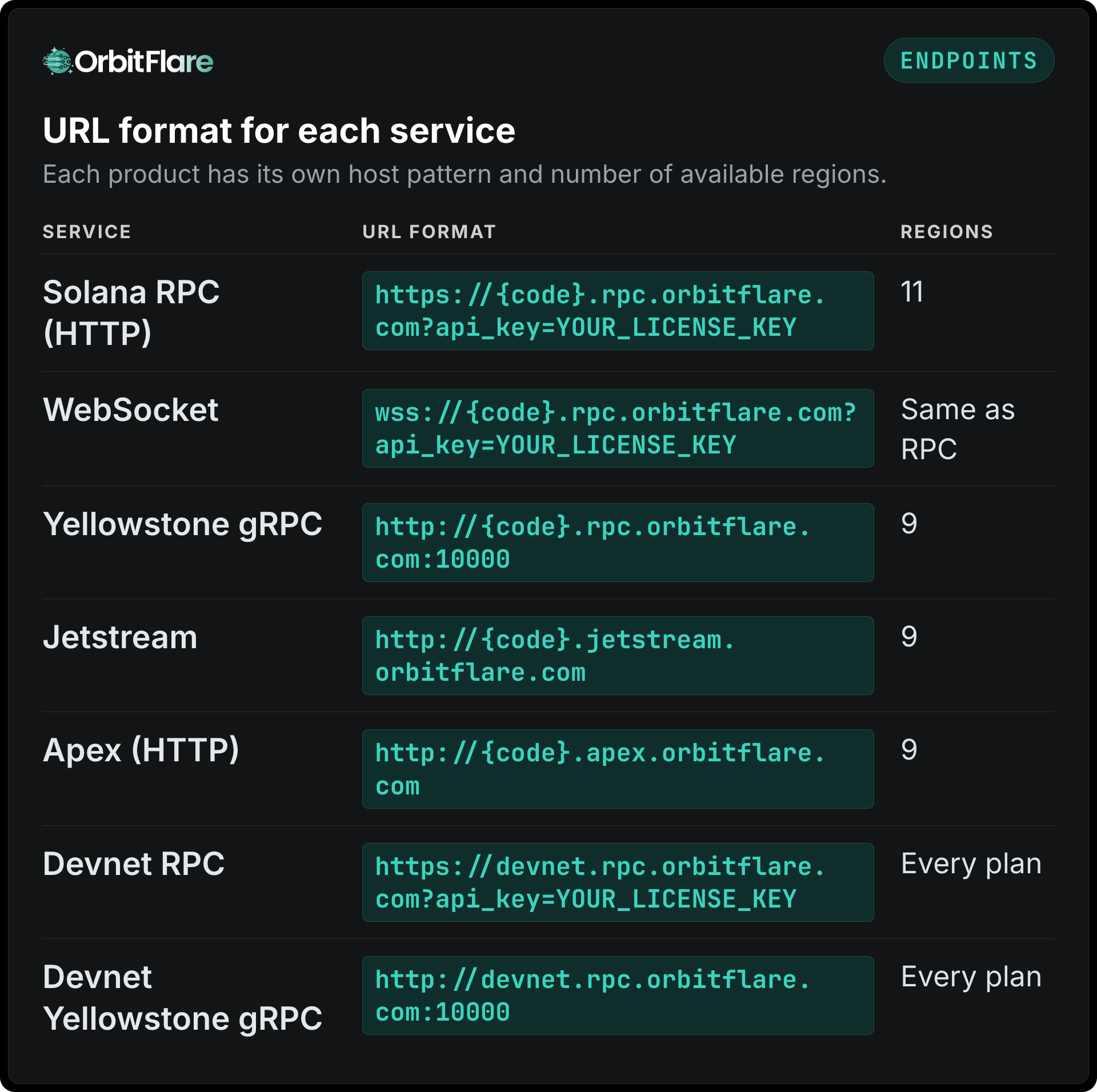
gRPC uses bare http:// because these endpoints speak gRPC over plaintext HTTP/2, without TLS. The hosts for Robinhood Chain can be found in our Robinhood Chain article.
Region codes by city
These vary depending on the product, therefore get them from the column where your product is mentioned.
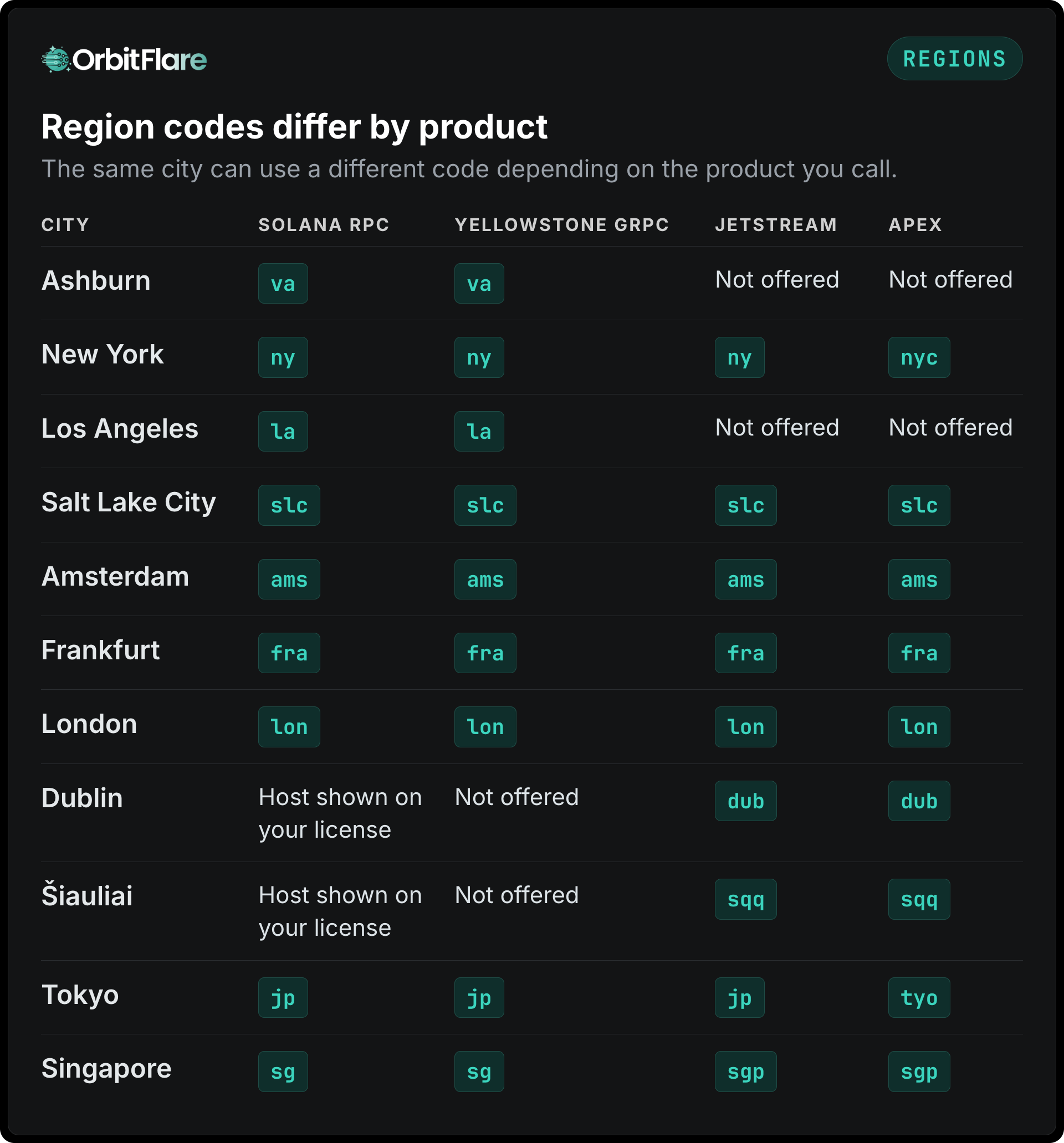
global is another hostname for Apex which is routed to the closest functioning endpoint within Apex. When you need a fixed host, for example in a firewall rule, use a named region.
Codes that no longer work
Here are some old codes that can be seen within copied code.
- The
tokfor Tokyo becamejpin RPC. - The
ashfor Ashburn becameva. - The
sgpfor RPC becamesg. Jetstream and Apex still usesgpfor Singapore. - There is no
mainnet.rpc.orbitflare.com. Always use a region host.
How to choose and check a region
Latency to the closest region matters more than anything else on the request path. If you are not sure which region is nearest, call the health endpoint in two or three regions from the server itself and compare the round-trip times:
curl "https://fra.rpc.orbitflare.com/health?api_key=$ORBITFLARE_LICENSE_KEY"It returns ok, behind or unknown.
A request to a region your license doesn’t cover gives you -32404 IP not whitelisted, even with your authorized key; the regions your license covers are listed on it in the dashboard.
The process for Shredstream is reversed: you get your shreds transferred to your own IP and port from one of 8 orderable regions, which you can find on the Shredstream page. Check Solana RPC locations for the full list of cities and products. The code examples are found in authentication docs.