In short, the provider, not the protocol, enforces the Solana RPC rate limits, which are available in three forms: a number of requests per second, a monthly quota of credits or compute units, and per-method limits applied to costly operations such as getProgramAccounts. If you reach one of these limits you receive an HTTP 429 response or a JSON-RPC error, and the solution is seldom to upgrade to a more expensive plan; instead it is generally necessary to stop polling, to batch the data you fetch, to subscribe to changes and to cache the data that doesn't change. This guide outlines how the limits work, how to determine which one you have hit, and the modifications that reduce request volume by a factor of ten.
Key Takeaways
- Public endpoints limit requests per IP address, and strictly so, while provider plans impose limits per key and include a budget that can be viewed in a dashboard.
- The three types of limits fail in different ways: if the RPS limit is exceeded the system returns a 429 immediately, if the credit allowance is exhausted it either throttles the request or charges for the overage, and a heavy method may be refused completely.
- Nearly all limit problems involve polling. Simply replace a poll loop with a subscription and the calls will be eliminated.
- Regard a keyed URL as a credential; if the key is leaked it will use up your quota on someone else's machine.
How the limits work
The Solana protocol does not have the idea of an API rate limit; instead, a node will respond to whatever request it is able to handle. Such limits are necessary since nodes are finite and the providers have to share them. Three methods are commonly used, often being combined.
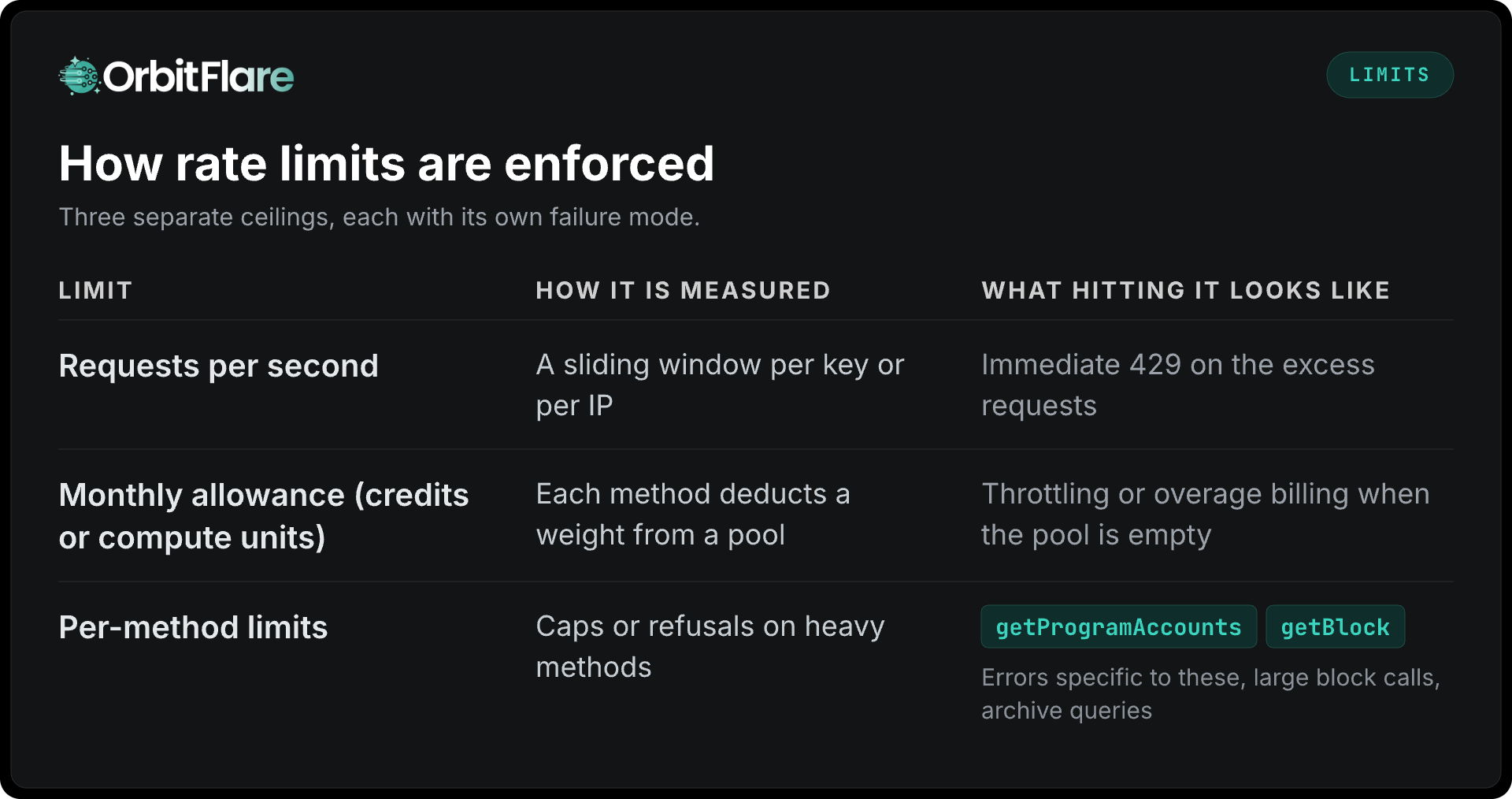
The public endpoints are the ones with the lowest numbers and are associated with your IP address. The public mainnet endpoint, for example, allows 100 requests per 10 seconds per IP, 40 requests per 10 seconds per IP for any single method, 40 concurrent connections per IP, and 100 MB of data per 30 seconds, and Solana's own documentation says that it is not intended for production applications. For provider plans, the numbers are given according to each tier and usage is displayed in a dashboard, which should be the first place you check when there's a problem.
Diagnosing which limit you hit
-
When receiving an HTTP 429 with bursts: you have exceeded the number of requests per second. Check for loops, parallel fan-out, or a retry storm.
-
Either 429 or the rate is reduced towards the end of the month: the allowance is used up. Check the usage at the method level since the typical cause is a heavy method being called in a loop.
-
Errors occur only in the case of a particular method: there is a per-method limit. The usual examples are
getProgramAccountsand the extensivegetLogsorgetSignaturesForAddressranges. -
If you see usage that you do not recognise, the key may have been leaked. Rotate it and find out who is calling with it.
Cutting request volume
The fixes listed below are given in order of the amount of request volume they usually save.
-
Use subscriptions instead of polling. If a loop calls
getAccountInfoonce every second, it ends up making 86,400 calls per account each day and detects changes with a delay. However, using a WebSocketaccountSubscribeor a Yellowstone gRPC accounts filter results in no calls being made and means that changes are detected instantly. This one change eliminates most of the request volume in most applications. -
Do not call
getProgramAccountsin a loop. It is the most intensive method in the API and at the same time the one that providers restrict the most. -
Batch.
getMultipleAccountscan retrieve up to 100 accounts with a single call; by using JSON-RPC batch requests (an array of request objects sent in a single POST, which the Solana RPC specification supports), several calls can be combined into a single round trip. Ten calls are then made as one. -
Store data that is immutable and changes slowly. Finalised transactions never change, so they can be cached for as long as you like. Program accounts that have been decoded once can be kept, and token metadata also changes rarely. The time-to-live period for the cache should match the frequency with which the data actually changes.
-
Use
dataSliceand precise filters. Only retrieve the bytes that are required. This is cheaper in terms of compute units and results in faster responses everywhere. -
Fix the retries. When receiving a 429 response, use exponential backoff with jitter and avoid attempting an immediate retry since a retry storm can turn a short-term limit into a lengthy outage.
-
Instead of checking the status via
getSignatureStatusesat intervals of a few hundred milliseconds, confirm the transactions usingsignatureSubscribe.
Designing for limits from the start
-
Use one connection per process, and reuse it with keep-alive; establishing a new connection for each request results in latency and causes the limits to be reached more quickly.
-
Prepare a budget on a per-feature basis by determining the number of calls that each part of the application makes per user action and then monitoring this figure in the provider's dashboard as the features are released.
-
Assign separate keys for each service and environment. A job that goes wrong in the staging environment should not use up the resources allocated to production, and a leak in one service should not cause all the other services to fail.
-
Monitor the 429 rate and usage in relation to the allowance, with alerts triggered well in advance of exhaustion.
When you actually need a bigger plan
Once the adjustments mentioned above have been made, ongoing legitimate traffic that exceeds the plan's ceiling is the reason to upgrade. The other reason is when you need a feature which the tier doesn't provide: gRPC streaming, archive depth, regional endpoints, or a staked transaction path. And when high levels of sustained traffic are involved, a dedicated node eliminates rate limits altogether since your limitation will then be determined by the hardware rather than by a shared budget.
The plans offered by OrbitFlare are based on requests per second without taking into account the weight of individual methods, meaning that a heavy method does not use up part of the allowance; the tiers are listed on the RPC nodes page.
Conclusion
The rate limits on Solana RPC services are a feature provided by the provider and come in three forms: per second, per allowance, and per method. Work out which of these you are encountering by looking at the error messages and using the dashboard, then reduce the volume by subscribing rather than polling, phasing out loops using getProgramAccounts, batching the requests, caching the results, slicing the data, and correcting the retry mechanism. It is only after that that a bigger plan becomes appropriate, and at a real scale a dedicated node makes the issue disappear.
The OrbitFlare RPC plans state their requests-per-second budgets and offer WebSockets on all tiers; the gRPC service is the subscription option which makes most polling unnecessary.